

Install on an admin workstation or shared server
Run MPA Tools where administrators already perform endpoint support, including a shared server model when that fits the team.
30-Day Trial
Start a fully operational trial without a credit card. Install MPA Tools, activate the trial, connect the Microsoft data sources you use, and validate the workflows your administrators run every day.
MPA Tools is intentionally lightweight to start, but a clean trial still benefits from the right administrator workstation, permissions, and network access.
Run MPA Tools where administrators already perform endpoint support, including a shared server model when that fits the team.
Remote actions and data access depend on the identity and privileges used by the administrator running the tool.
The trial and licensing flow require internet connectivity for activation and license validation.
Start with Active Directory, ConfigMgr, Intune, Entra ID, or the endpoint paths that matter for your support model.
If you plan to run live endpoint checks or remote actions, use an admin host that already has the protocol and firewall access your support model requires.
Go into the trial with a short list of Intune, ConfigMgr, or endpoint support scenarios so administrators can prove value quickly after setup.
A good MPA Tools trial should prove value against the same endpoint sources your administrators support every day: Intune, ConfigMgr, and hybrid Windows estates.
Run MPA Tools on an administrator workstation or shared admin host so trial users can evaluate it in their normal operating path.
Start with the sources that already hold your endpoint evidence, then expand the trial as the team validates more workflows.
Test the trial against policy drift, stale inventory, update posture, client state, and support patterns your team already handles.
Intune applied policies
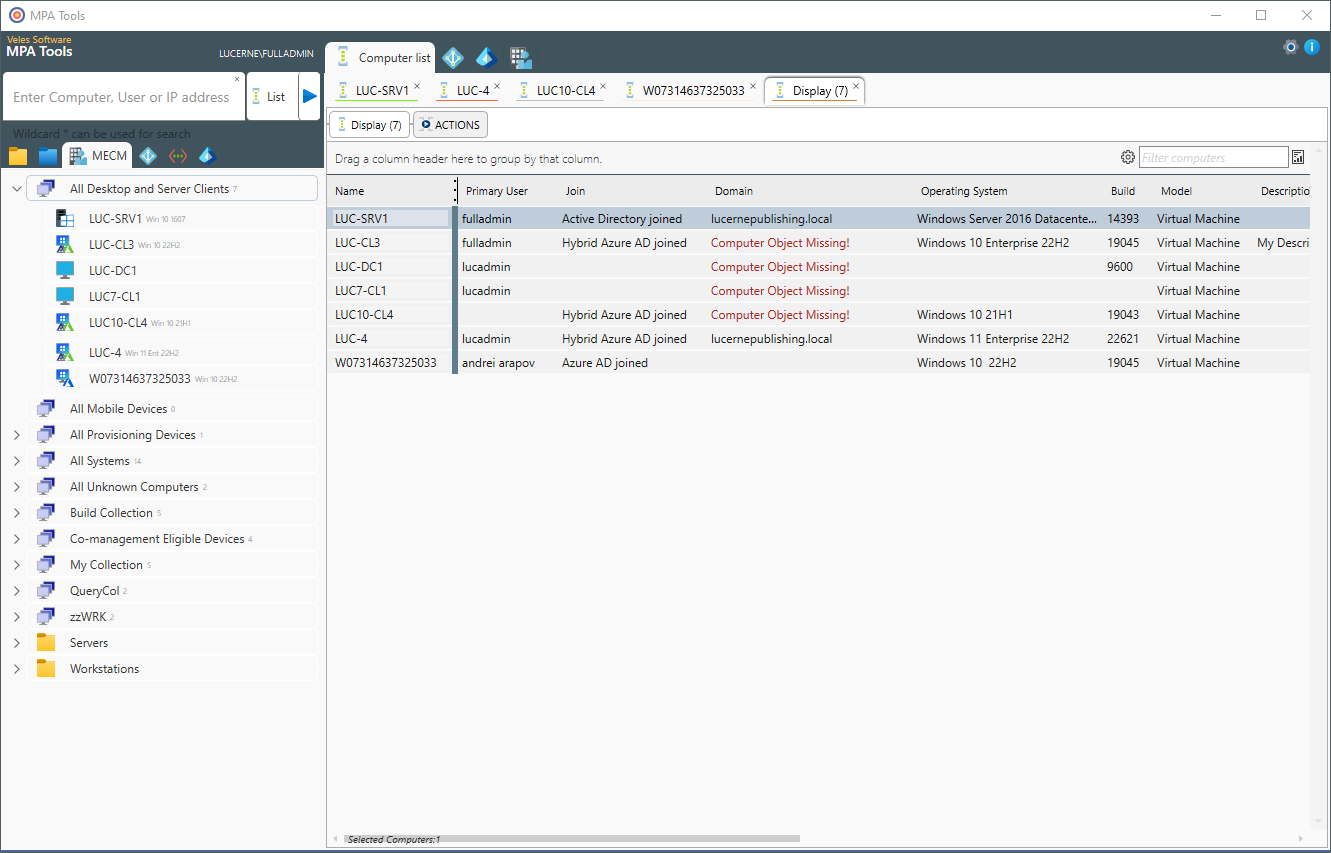
Use the trial where administrators can evaluate installation, activation, permissions, and day-to-day support ergonomics together.
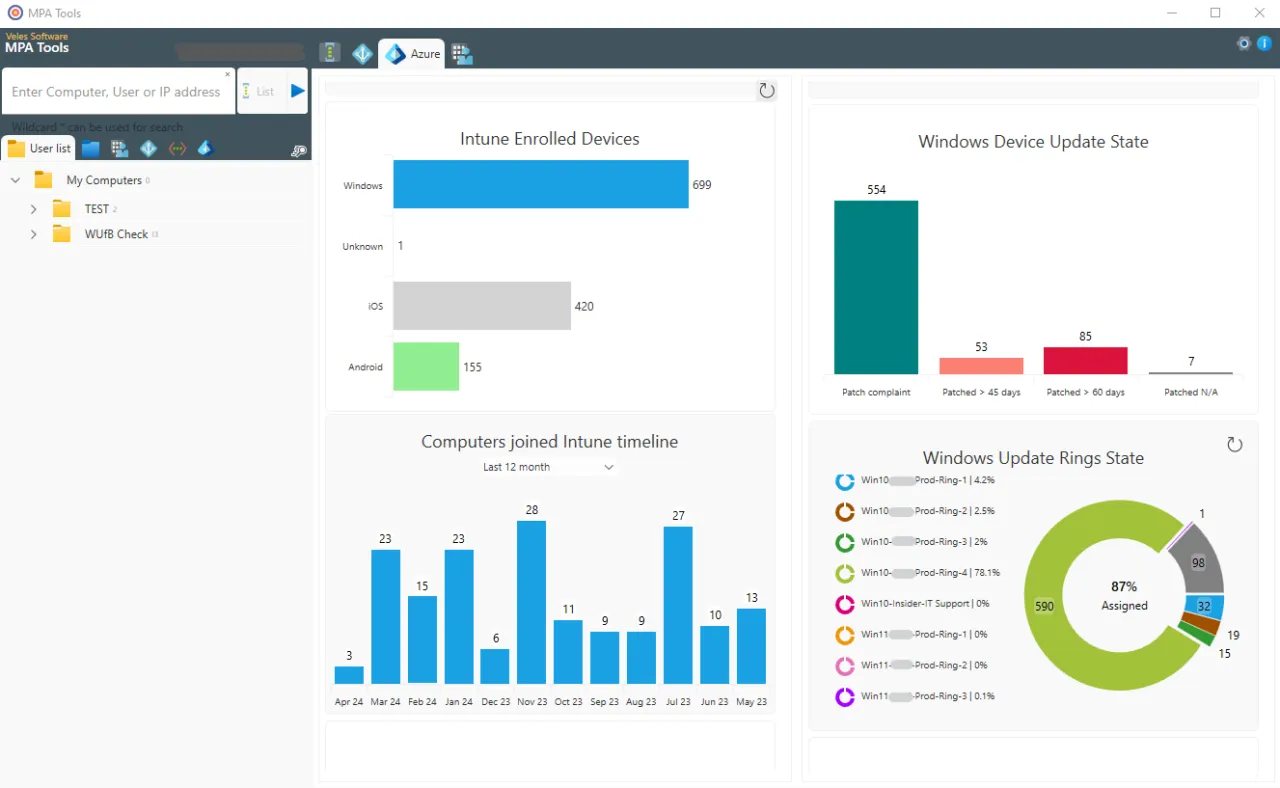
Check whether the trial helps your team explain Intune update, policy, script, and remediation questions faster.
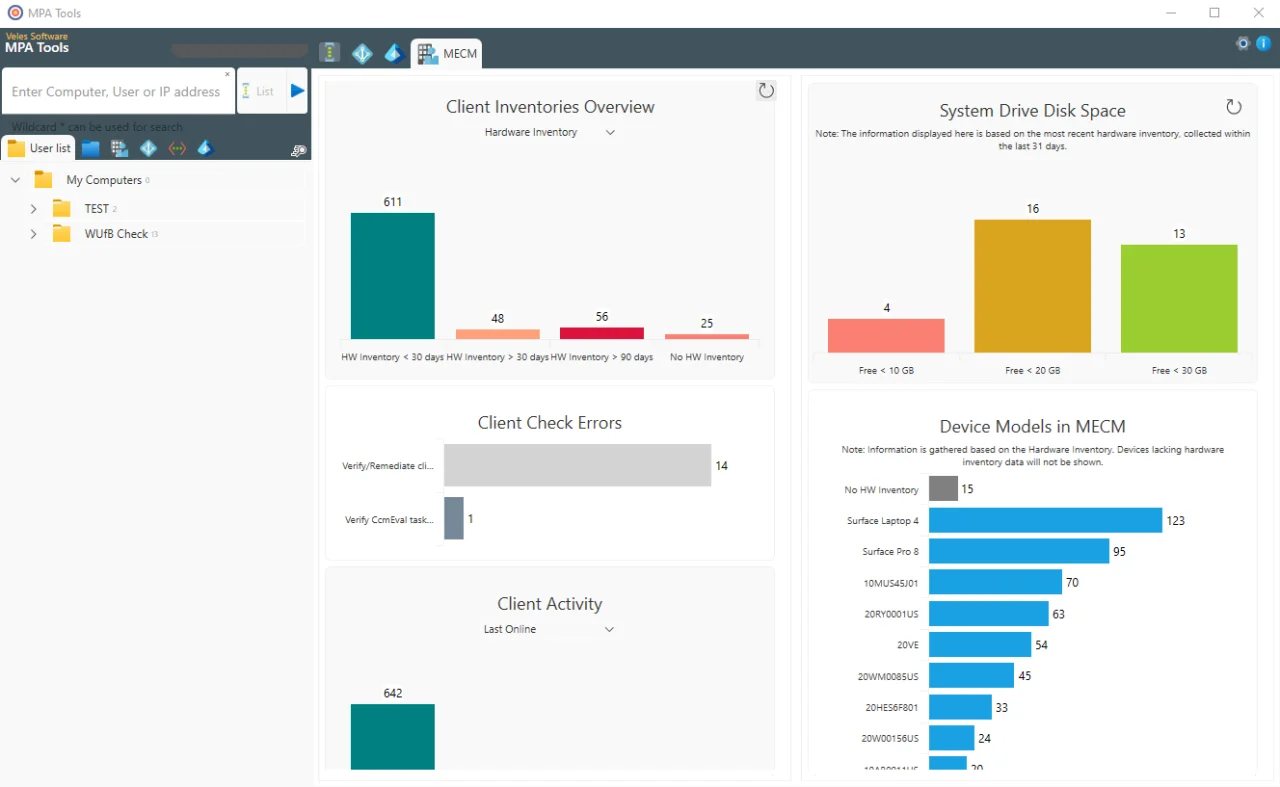
Use SCCM-backed views to test client health, inventory, disk posture, and reporting workflows before committing budget.
The goal is to get to useful evidence quickly, then expand configuration as the team validates more workflows.
On a Windows admin workstation, you can start the download immediately. On mobile, enter your email and we will send the link so you can open it from the right device.
Install the application on the administrator workstation or shared admin host you want to use for validation.
Launch MPA Tools and activate the 30-day trial from the product interface. No credit card is required.
Test Intune, ConfigMgr, remote actions, endpoint properties, and AI-assisted troubleshooting against issues your team recognizes.
FAQ
No. The MPA Tools trial runs for 30 days and does not require a credit card. An internet connection is required for trial activation and license validation.
Most teams start from an administrator workstation or a shared admin server. MPA Tools can also be used from hosted environments such as Remote Desktop Services or Citrix when that matches the admin workflow.
No. MPA Tools does not require a client on managed endpoints. Configuration focuses on the administrator workstation, network permissions, identity access, and the data sources you want to use.
Review the MPA Tools end user license agreement if your team needs legal, procurement, or internal approval before starting the trial.
On a Windows admin workstation, start the download now. On mobile, enter your email and we will send the link so you can open it from the right device.


